
Territory planning looks deceptively simple when viewed from the outside. A manager opens the CRM, divides the market into territories, assigns them to sales representatives, and the team begins working on them. On paper, this process appears quick and straightforward.
In reality, territory creation is rarely that simple.
Markets change constantly. New customers appear in unexpected regions. Existing clients shift their demand patterns. Some territories suddenly become overloaded while others remain underutilized. Because of this, territory planning requires careful analysis, experimentation, and sometimes multiple iterations before arriving at the right structure.
This is where the concept of Draft Territories becomes extremely valuable.
Draft territories allow managers to experiment with territory designs inside the CRM without immediately committing to those decisions. Instead of creating rigid boundaries that are difficult to modify later, managers can design, test, adjust, and refine territory structures until they are confident that the plan truly supports business goals.
In location intelligence tools like Maplytics integrated with Microsoft Dynamics CRM, Power Apps, Power Pages, and Dataverse, Draft Territories provide a practical and flexible way to manage this process.
Drafting territories in Dynamics 365
If a user needs to further work on certain territories that he has already processed in the past or needs to make any changes, he can choose ‘Save’ from the Actions drop-down in the territory list.
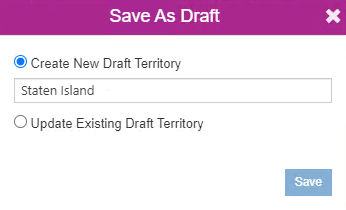

This way, he can save the territories and process them as ‘Draft territories’ within the CRM.
After saving a draft, the user can use the option of ‘By Territory’ within the ‘Territory Management’ card to plot the draft territories saved in CRM and rework them. Further, the user can choose to save it again as a draft with new updates or simply create the territory in the CRM using the option of ‘Create’ from the Actions drop-down. The user can also choose whether or not to delete the draft territory without creating it.
 At times, sales managers want to create territories based on postal codes or regions. They need time to research and reach confirmed decisions. Draft territories are handy in such situations. Managers can draw shapes on the map, create territories with those, and save them as drafts. They can revisit these drafts whenever required.
Multiple draft territories can also be plotted together on the map, even if all of them are created without records.

 Managers can also create territories with records and save them as drafts in the same manner.

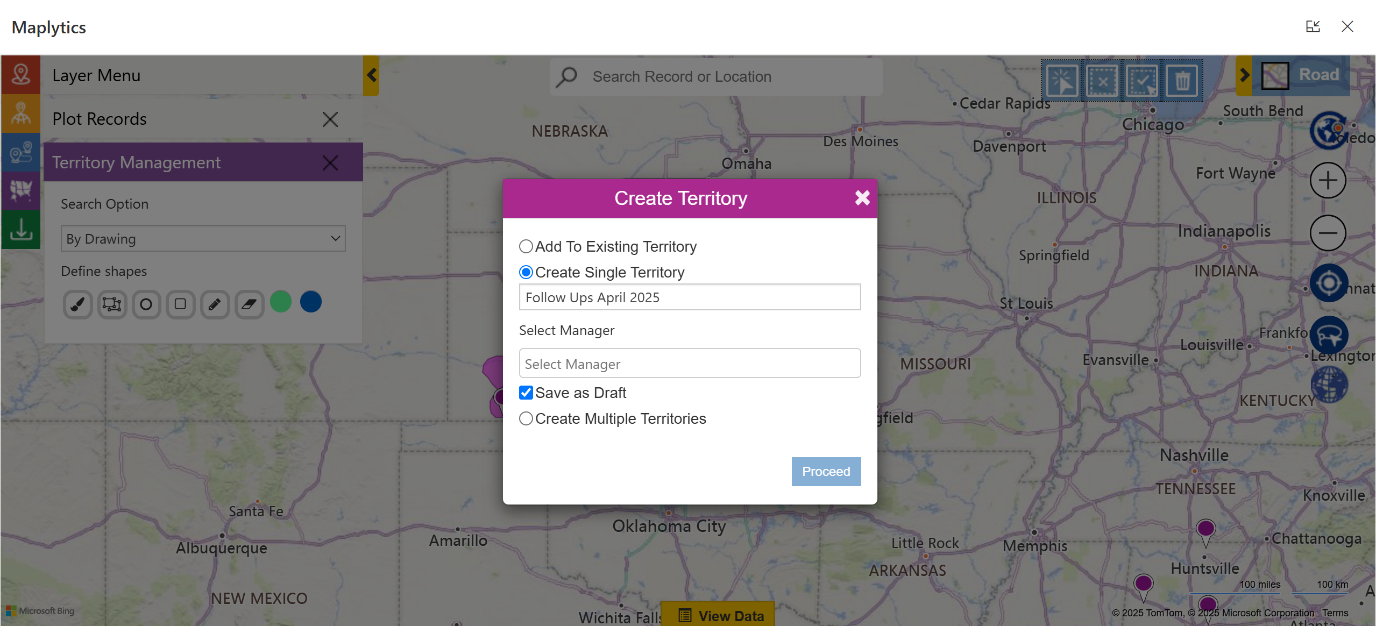

The new draft territories are then visible under the Draft Territory section and can be plotted and used from there.

Our Client’s Story
Recently, we were approached by the team at a manufacturing organization that had a peculiar query.
They expressed that their sales manager might want to build territories based on postal codes, market potential, customer density, or regional demand patterns in the future. Gathering this information required discussions with sales representatives, analysis of customer data with the analytics team, and even evaluation of travel distances for the field teams. They wanted a way where the territory creation could be slowed down, and revisited as the manager’s research progressed.
Draft Territories within Dynamics 365 territory mapping by Maplytics supports this research-driven approach.
Managers can sketch potential territories on the map, save them as drafts, and return to them later after gathering more information. This ensures that final territory decisions are supported by data and practical insights rather than guesswork.
Instead of rushing the process, the CRM becomes a workspace where ideas can evolve.
A Smarter Way to Design Territories
Territory planning is one of the most critical aspects of sales operations. Well-designed territories ensure that workloads are balanced, customer coverage is efficient, and travel time remains manageable. However, achieving the right structure requires analysis, experimentation, and refinement.
Draft Territories make this process significantly easier.
Instead of forcing managers to finalize territory decisions immediately, they provide a flexible workspace where ideas can be tested, adjusted, and improved before becoming part of the CRM system. By combining visual mapping, record analysis, and iterative design, Draft Territories turn territory planning into a thoughtful and data-driven activity. With tools like Maplytics, the Dynamics CRM territory mapping ensures that territory management evolves from a one-time administrative task into an ongoing strategic process.
What’s more?
If you wish to combine maps, routes, schedules, and real-time updates to make a difference, Maplytics with MapCopilot, its AI assistant, is available immediately for Dynamics 365, Power Apps, Power Pages, and Dataverse. Organizations interested in adoption, 15-day free trials, or personalized demos are encouraged to contact Maplytics’ sales team at crm@inogic.com
For more information, visit our website or Microsoft Marketplace. One can hop onto the detailed Blogs, Client Testimonials, Success Stories, Industry Applications, and Video Library for a quick query resolution. Technical docs for the working of Maplytics are also available for reference.
Kindly leave us a review or write about your experience on the Microsoft Marketplace or the G2 Website.

Sam Kumar
https://www.maplytics.com/Sam Kumar is the Vice President of Marketing at Inogic, a Microsoft Gold ISV Partner renowned for its innovative apps for Dynamics 365 CRM and Power Apps. With a rich history in Dynamics 365 and Power Platform development, Sam leads a team of certified CRM developers dedicated to pioneering cutting-edge technologies with Copilot and Azure AI the latest additions. Passionate about transforming the CRM industry, Sam’s insights and leadership drive Inogic’s mission to change the “Dynamics” of CRM.